CI CD/GitHub
[GitHub] 깃허브 사용법-3 (디렉토리 또는 파일 삭제, git rm)
KoreaNirsa
2020. 3. 19. 15:08
반응형
-
깃허브 디렉토리 또는 파일 삭제
CLI에서 gitgub에 있는 디렉토리나 파일을 삭제할 수 있습니다.
- git rm -r [디렉토리 또는 파일명]
- git commit -m "확장본에 대한 설명"
- git push origin master
[root@docker-control devops]# git rm -r error_test
rm 'error_test/error.txt'
[root@docker-control devops]# git rm -r worker
rm 'worker/worker.txt'
[root@docker-control devops]# git commit -m "remove directory"
[master 97078df] remove directory
 Committer: root <root@docker-control.asia-northeast3-a.c.docker-project-271503.internal>
Your name and email address were configured automatically based
on your username and hostname. Please check that they are accurate.
You can suppress this message by setting them explicitly:

    git config --global user.name "Your Name"
    git config --global user.email you@example.com

After doing this, you may fix the identity used for this commit with:

    git commit --amend --reset-author

 2 files changed, 0 insertions(+), 0 deletions(-)
 delete mode 100644 error_test/error.txt
 delete mode 100644 worker/worker.txt
[root@docker-control devops]# git push origin master
Username for 'https://github.com': islandtim
Password for 'https://islandtim@github.com':
Counting objects: 3, done.
Compressing objects: 100% (2/2), done.
Writing objects: 100% (2/2), 302 bytes | 0 bytes/s, done.
Total 2 (delta 0), reused 0 (delta 0)
To https://github.com/islandtim/Nirsa-Project.git
   14ff3a5..97078df  master -> master
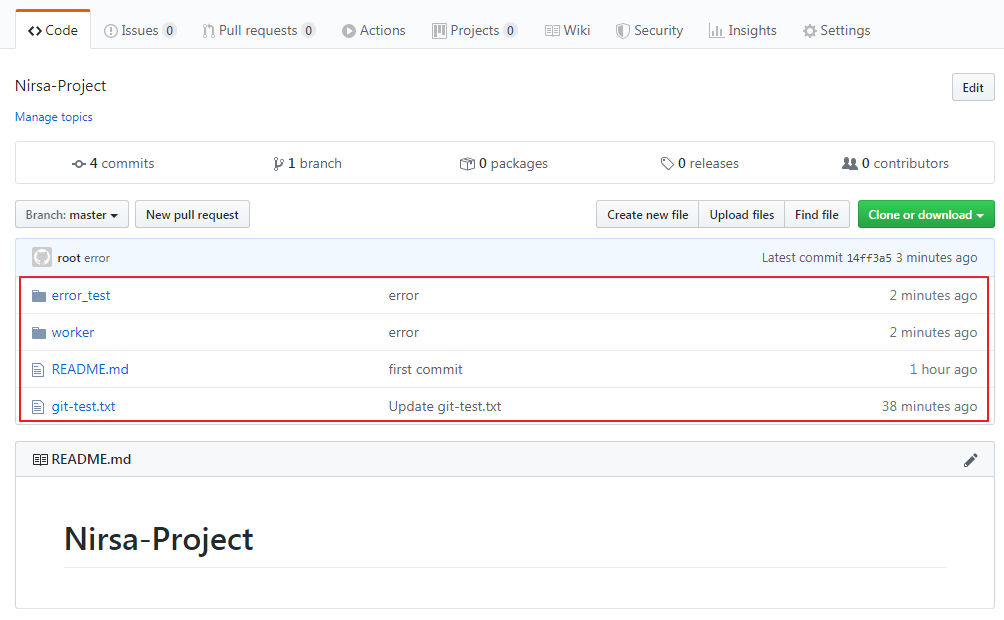
- 삭제 전
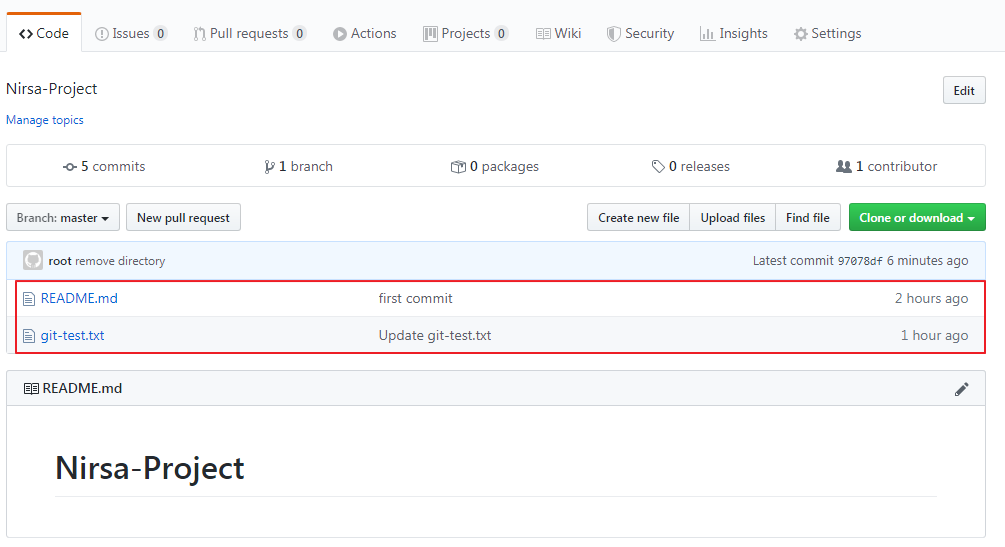
- 삭제 후
반응형